Dec
28
2006
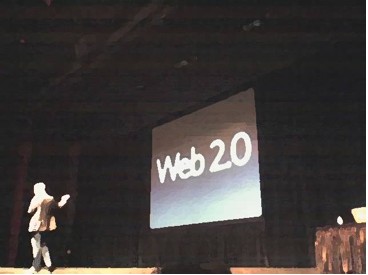
Carson Workshops is working hard on the two day conference The Future of Web Apps in London. The summit is going to be held in London during February 20-21, 2007. I had the opportunity to attend the San Francisco, September 13-14 2006 conference for which I present the following notes… The Future of Web apps conference notes are available as a single PDF document for your convinience.
Wednesday, September 13
Dick Hardt – The Emerging Age of Who
Kevin Rose – The Digg Story – Kevin talks about design and scalability.
Tom Coates – Social Change on the Web – Tom talks about users motivation.
Tantek Celik – Best Practice With Microformats – Microformats are fun.
Steve Olechowski – Ten Things You Didn’t Know About RSS
Carl Sjogreen – How We Built Google Calendar – Six key insights in building Google Calendar.
Mike Davidson – User-driven Content – Is it Working?
Continue reading
no comments | posted in Conference, Design, HTML/XML, Programming, TechKnow
Dec
13
2006
Now that Java SE is released I wanted to cover one of my favorite feature, the Compiler API. I already wrote about a cool hack that can be done in previous versions of the JDK to compile Java code at runtime. I also wrote about compiling Groovy at runtime. Now I will cover how to compile Java code using the new Compiler API introduced in the JDK SE 6. Please not that the following code use classes that are currently only available with the JDK, not the JRE.
To get started you will need to instantiate a Java Compiler and Java File Manger.
Continue reading
5 comments | posted in Java, TechKnow
Dec
13
2006
Groovy is an ‘agile dynamic language for the Java Platform.’ Groovy has many of the features available in Ruby such as closures and xml builders but draws much of its strength from Java’s extensive libraries.
Groovy can be embedded in your application to allow advance users or sales engineer compile and run Groovy scripts against a running system. Earlier I wrote about compiling Java code at runtime, but Groovy is a more natural solution for dynamically compiling and loading new classes. In this article I will demonstrate how to embed, compile, and load Groovy classes.
To get started you will need to use the groovy-all jar that is located under the embeddable directory of the groovy distribution. Add the groovy-all jar to your project.
You will need to create and set a CompilerConfiguration object accordingly, to indicate where to write out the class files and what additional classpath to use.
Continue reading
no comments | posted in Java, Programming, TechKnow
Dec
13
2006
A former colleague left me a voice mail asking for help in setting up a remote debugging for a running Java process. She is now a director at a small security startup. I thought that if this was helpful for her, it might be useful for other peeps. What follows is basically the instructions I sent her via an email.
To be able to attach your Eclipse debugger to a running Java process you need to start that process with the following Java options…
-Xdebug -Xrunjdwp:transport=dt_socket,address=8001,server=y,suspend=n
Once you have done this and have restarted the server, you can use your Eclipse to attach to the running process. From Eclipse go to the Debug manager and create a new Remote Java Application configuration for the process you want to connect to. Set the port number to 8001, the same as that of the options. You will also need to enter the hostname for the machine running the Java process. That is pretty much it…
Technorati Tags: java, remote debugging, remote debug, debug, eclipse, ide
3 comments | posted in Java, Programming, TechKnow
Dec
12
2006
You can access javac programmatically, that is compile Java source code at runtime from a running program! The javac compiler is made available via the tools.jar in the lib directory from the JDK. To get started with the following example you will need to add the tools.jar to your project’s classpath. You can find tools.jar in the lib directory of your JDK installation path.
One you have tools.jar in you classpath, you can create an instance of com.sun.tools.javac.Main, the entry point for javac.
[source:java]
com.sun.tools.javac.Main javac = new com.sun.tools.javac.Main();
[/source]
You can call the compile method on the javac instance passing in an array of strings as options. For example, here are the options that include the classpath and the output directory for the file to compile.
[source:java]
String[] options = new String[] {
“-classpath”, classpath, “-d”, outputDir, filename
};
[/source]
And of course you can use any of the other options such as -deprecation or -g. To compile a source file, just invoke compile as in the following code bit.
[source:java]
javac.compile(options);
[/source]
Compile Java this way can be helpful if your application generates one off statements that need to run in the system. I have used a mechanism like this to write what essentially is a script file but in Java code instead of Groovy or Jython. One thing to remember is that tools.jar is only available with the Java Development Kit, not the Java Runtime Environment.
Technorati Tags: java, runtime, javac, scripting, script, jre, jdk, compile, groovy, jython
7 comments | posted in Java, TechKnow